




Plugable 12-in-1 USB C Triple Monitor Docking Station, 100W Charging
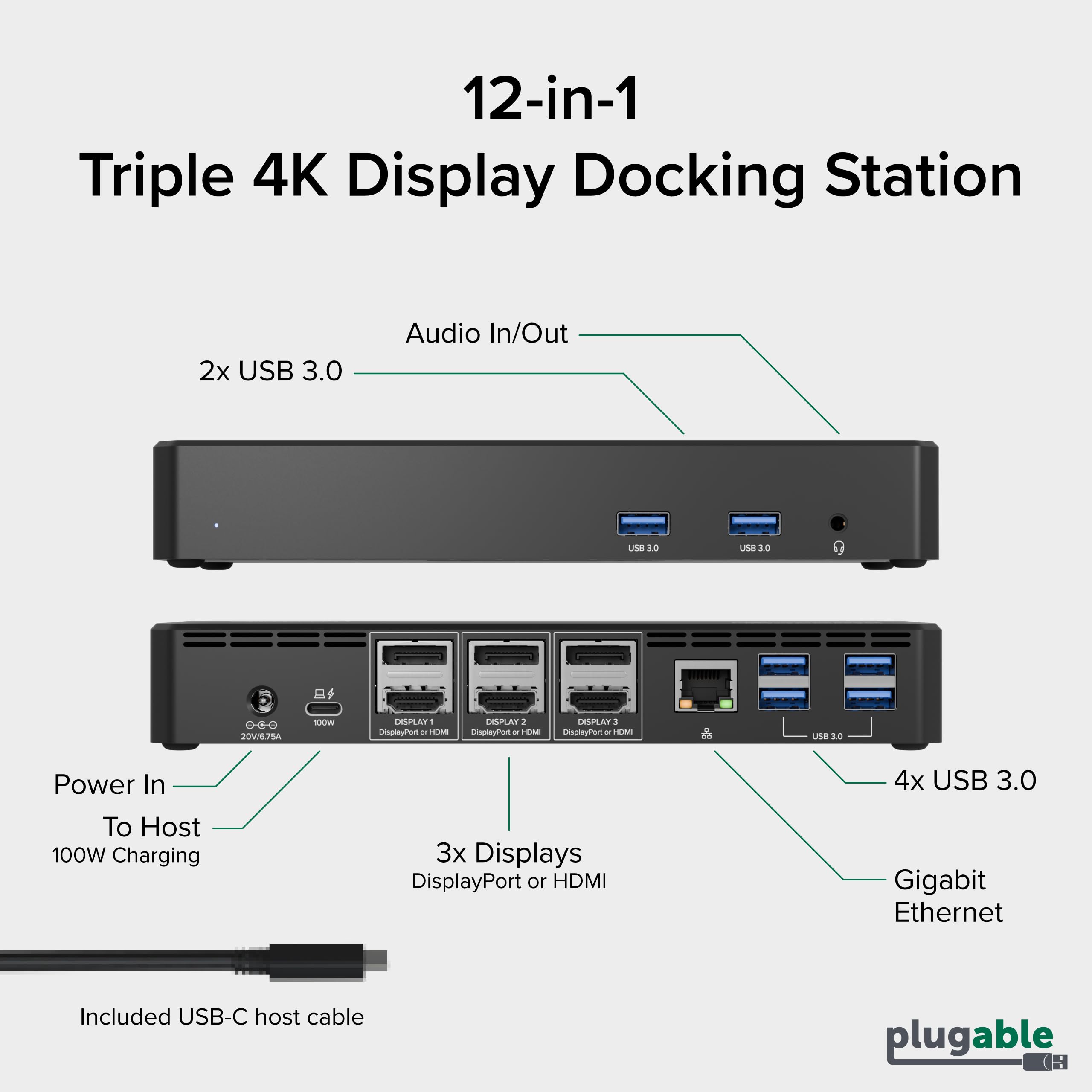
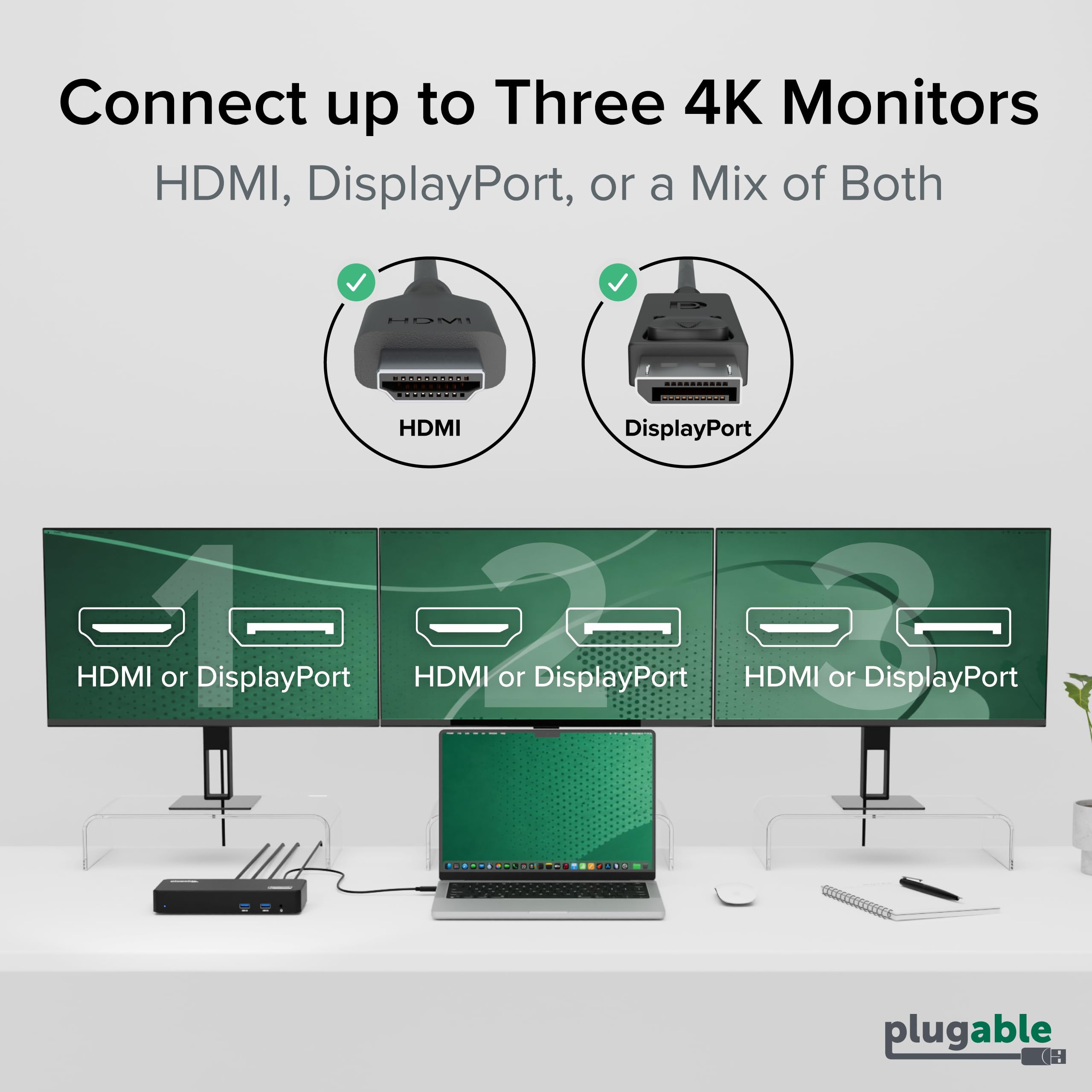
- Get Connected - This USB C docking station: three 4K displays with either HDMI or DisplayPort, six USB 3.0 ports for a wide range of down-stream devices, Ethernet for reliable internet connection, and 3.5mm TRRS audio for headphones or headset
- Triple 4K Support on Any Mac: Ditch the adapters with 3x HDMI and 3x DisplayPort to connect virtually any monitor. Connect up to three 4K 60Hz displays on USB-C, USB4, and Thunderbolt systems, even on laptops that normally support just one external monitor like M1, M2, M3, Neo Mac and newer Mac systems. Ideal for enterprise hot-desk environments, financial trading dashboards, creative production workflows, IT help desks, and multi-screen professional workstations
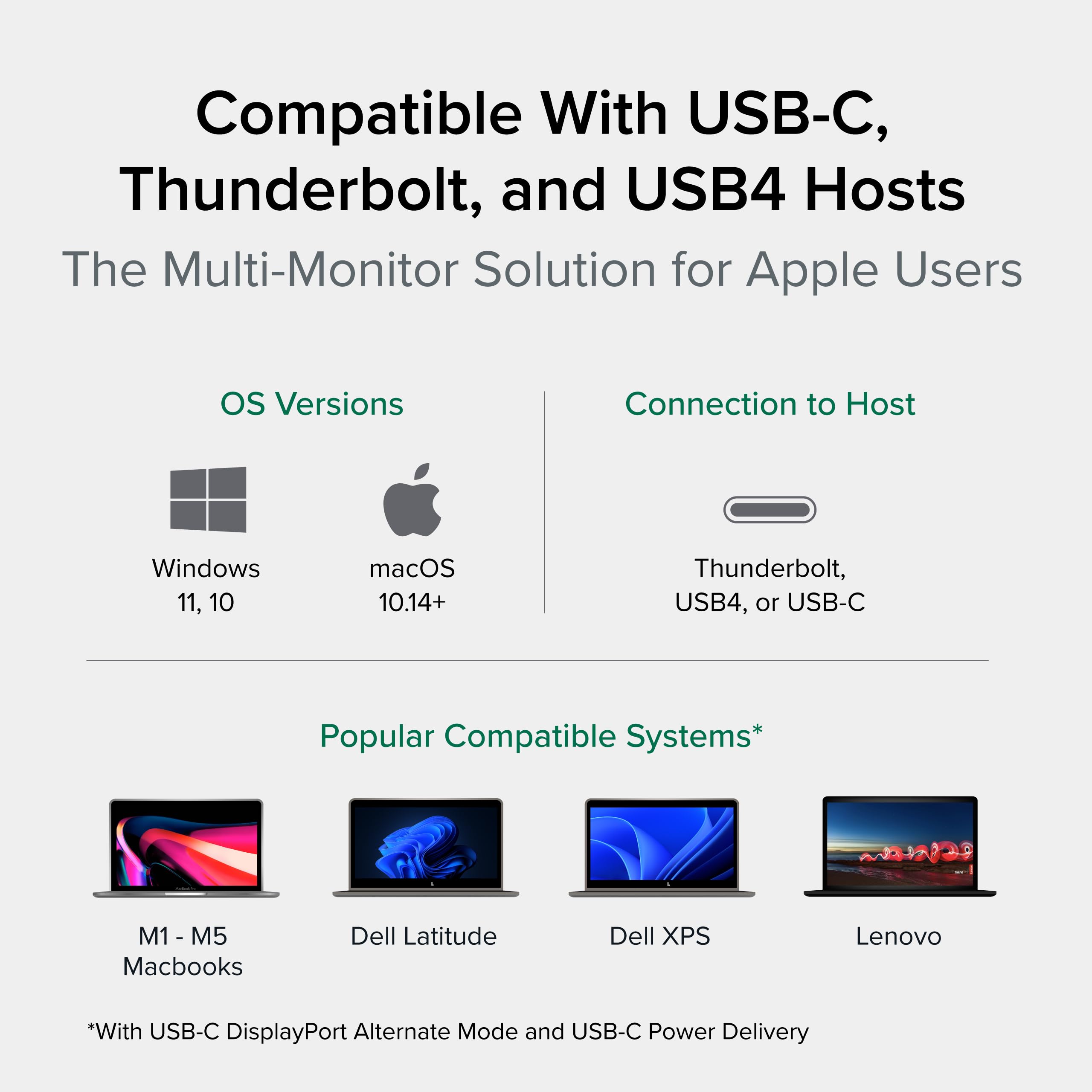
- Compatibility: Triple display docking station supports USB Type-C with DP1.2, USB4, and Thunderbolt computers with Windows 10 or 11, macOS 11+, and ChromeOS v100+; macOS requires installation of DisplayLink Drivers, see gallery video for installation walkthrough
- 100W Charging: Charges MacBooks, Dell XPS, Lenovo ThinkPad, HP EliteBook, Surface, and most productivity laptops fully, no original charger needed. If your laptop requires more than 100W (gaming or workstation-class systems), keep your charger handy for heavy workloads
- 2-Year Coverage, Lifetime Support - Enterprise-ready and NDAA Section 889 compliant, this docking station is built for bulk fleet deployments across government, healthcare, education, and business IT environments. Every Plugable product is covered against defects for 2 years and includes lifetime support from our North American-based team - even before purchase
| Compatible Devices | Ipad Pro, Air, LG Gram, Dell Pro / Plus / Pro Max / XPS / Latitude / Inspiron series, Supports full-featured USB-C, USB4, and Thunderbolt systems running Windows 10 / 11 & ChromeOS 100 or newer & macOS 11 and later including, M1/M2/M3/M4/M5/Neo-based MacBooks (Base models and Pro / Max models), Intel-based Thunderbolt 3 MacBooks (late 2016+), HP Omnibook / EliteBook / DragonFly / ProBook / Spectre x360 series, Lenovo ThinkPad / IdeaPad / Yoga, Framework, Microsoft Surface Pro / Go / Book / Laptop models, Acer Swift, Predator, Aspire Vero, iPhone 15 / 15 Pro, 16 / 16 Pro, and mini, Thousands of other laptops which are compliant with full-featured, standards-compliant USB-C ports |
| Manufacturer | Plugable |
| Unit Count | 1 Count |
| Item dimensions L x W x H | 5.8"L x 3.4"W x 9.1"H |
| Number of Ports | 12 |
| Brand | Plugable |
| UPC | 819927013068 819927012009 |
| Number of Items | 1 |
| Input Voltage | 5 Volts |
| Wattage | 100 |
| Colour | Black |
| Item Weight | 2.4 Pounds |
| Hardware Interface | USB Type C, USB Docking Station |
| Number of Packs | 1 |
| Total USB Ports | 6 |
| Model Number | UD-6950PDZ |
| Item Highlight | Windows, Triple 4K Displays with 3X HDMI or 3X DisplayPort, for Mac, Thunderbolt, USB4, USB-C (100W PD, 6X USB, Ethernet) |
| Minimum Required Operating System Version | Windows 10, ChromeOS 137, Mac OS 11 Big Sur |
| Product Type | Docking Stations |
| Mfr Part Number | UD-6950PDZ |
| Total Number of HDMI Ports | 3 |
-
Save 10% when you buy two or more items.
-
Get 5% off your next purchase.
-
Enjoy free delivery on orders above $200.
-
Orders are processed and shipped from Washington


3-6 days (Domestic)



Confidence-backed purchases with 30-day return support.

USD |
BRSW2HAYCJ4BG2DD |
Category |
Computers & Accessories , Laptop Accessories , Docking Stations |
Tags |
Estimated shipping
Select a product to estimate shipping.Tech Specs
Do I need to install software in order to use the device?
Yes, DisplayLink software is required for the UD-6950PDZ for full functionality. Manual installation is required for macOS, Windows installation is typically automatic. We recommend installing the latest DisplayLink software for the best performance.
When installing DisplayLink software on my Mac, why is it necessary to grant ‘Screen Recording’ permission?
macOS requires "Screen Recording" for the DisplayLink driver to work properly. Approving it enables the driver to send data over USB from your computer to the DisplayLink-powered display. No data, images, or pixels are being stored or recorded.
Does this dock allow for three displays even on base M1, M2, or M3 Macs?
Yes. Enabled by DisplayLink technology, UD-6950PDZ can connect three displays even if the computer supports only one display output on its own. DisplayLink Manager installation required on Mac.
Why does the mouse cursor seem choppy or laggy on one or more of the external displays?
Some displays may default to 30Hz. You can change this in Windows or macOS Display Settings. USB-C DP 1.2 supports 4K at 30Hz for “Display 1,” while DP 1.4 supports 4K at 60Hz. Ensure your cables and GPU support the desired refresh rate.
Why aren’t all three displays connecting to my dock?
Please confirm your laptop’s USB-C port supports video output (Alt mode), and that you have the DisplayLink driver/software installed.
Product details

Shipping & Delivery
At GofinchKart Australia, we aim to deliver your order quickly and safely.
Domestic Shipping (Australia):
Orders are typically delivered within 3–7 business days.
International Shipping:
Estimated delivery time is 12–26 business days, depending on the destination and customs processing.
Once your order has been dispatched, you will receive a tracking number. Delivery times may vary during public holidays or due to unforeseen delays.